A Digital Research Group product
See what needs attention across every AI subscription.
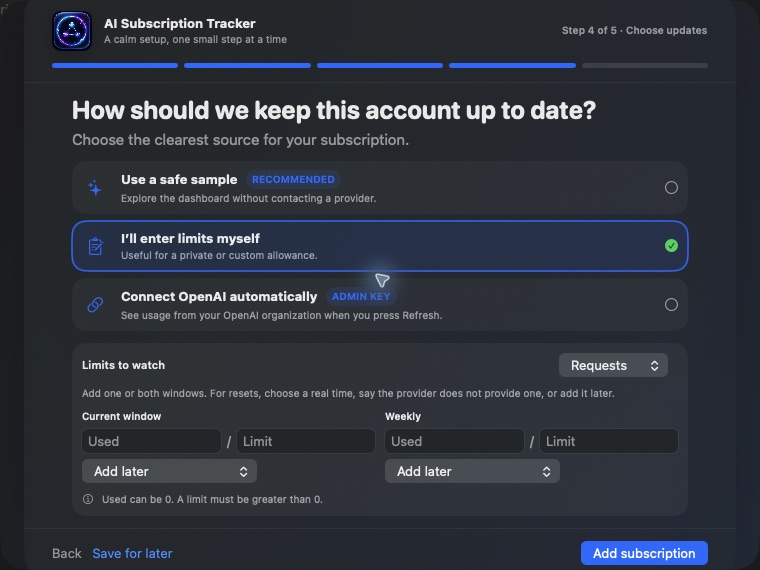
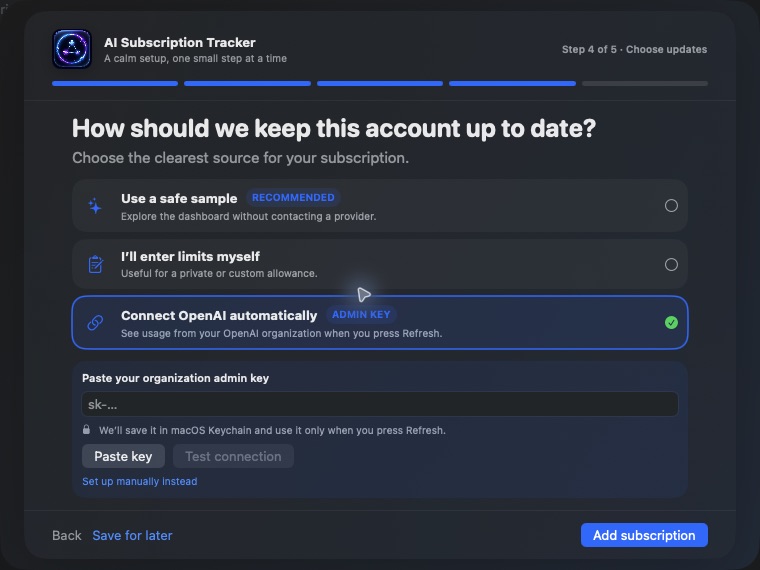
Track short-term and weekly windows for every account in one Mac dashboard. OpenAI refreshes through the official Platform API; Claude, Gemini, and Grok remain explicit manual records—never scraped.
Current release is unsigned. macOS 14+ may require Control-click → Open.
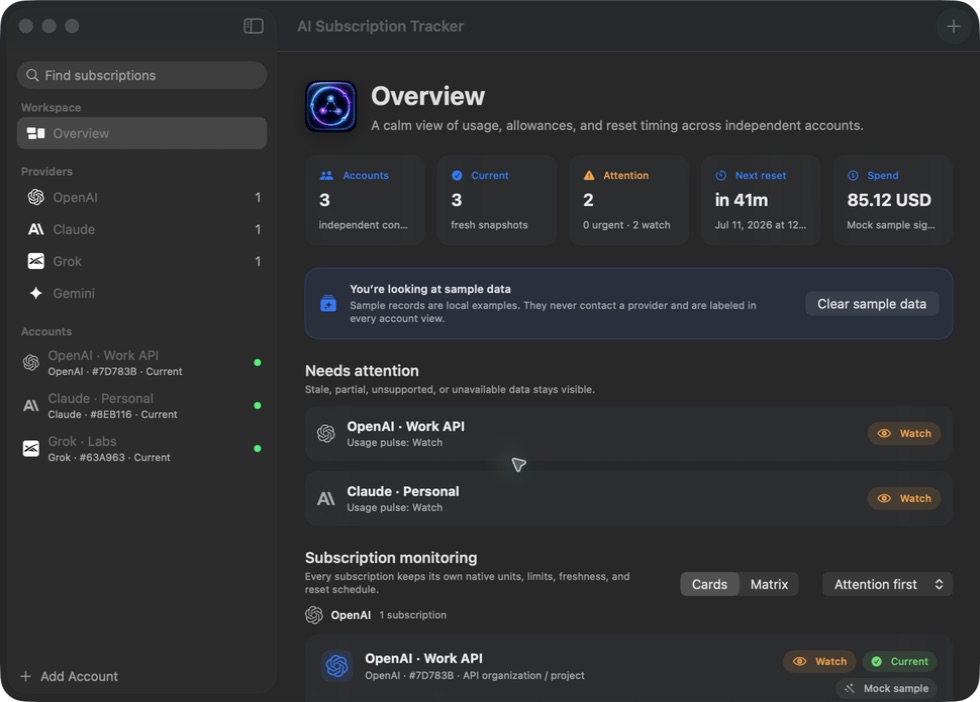
Three accounts. Two usage windows. One decision.
When Personal, Work, and Client subscriptions all reset on different clocks, provider tabs stop being a system. The tracker keeps every account separate and rolls its real state into one operator pulse.
 Claude · PersonalManual · watchClaude · WorkManual · healthyClaude · ClientManual · reset soon
See the pressure before it becomes a problem.
Every account keeps its own short-term and weekly windows, freshness, source, and reset timing—so the next action is obvious.
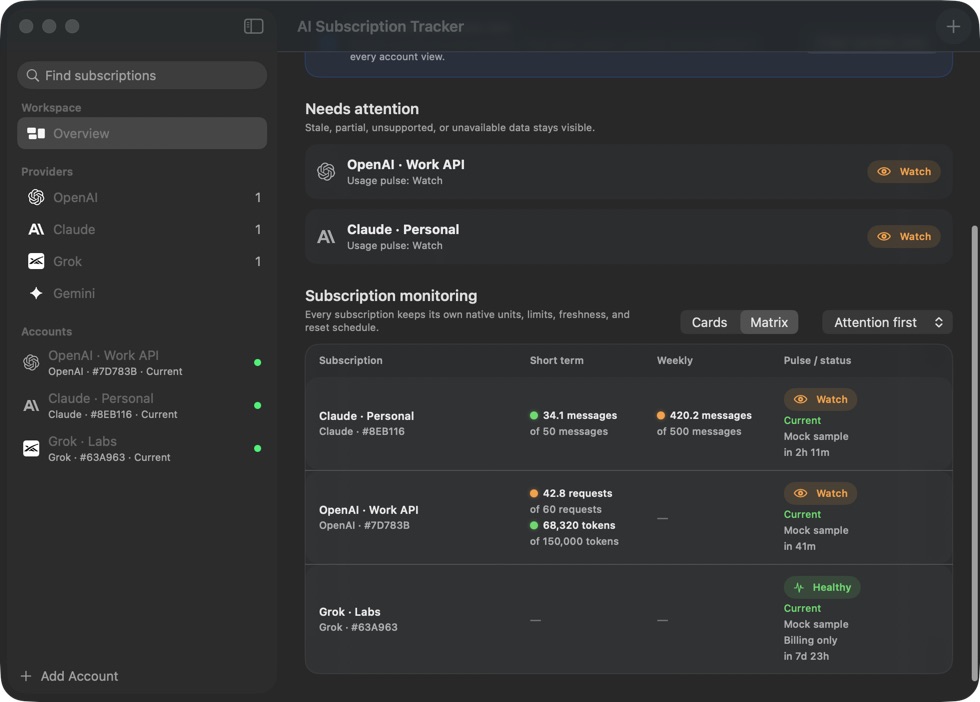
Truthful by design. Useful on day one.
Automation is valuable only when it is supported. The tracker makes the source of every signal visible and leaves unavailable data unavailable.
 OpenAILive APIOfficial usage, costs, projects, and rate-limit signalsClaudeManualOperator-entered limits; provider page is reference-only
 GeminiManualOperator-entered limits; no browser token import
 GrokManualOperator-entered limits; no private-page polling
Your monitoring layer should not become another account risk.
The connector architecture was independently audited after an earlier Claude CLI approach proved unsafe. That connector was removed from this release.
- Credentials stay in macOS KeychainOpenAI keys are stored per tracker account.
- No browser cookies or session-token importsProvider website visits never masquerade as live connections.
- Local snapshots stay on your MacThe app stores account metadata and monitoring history locally.
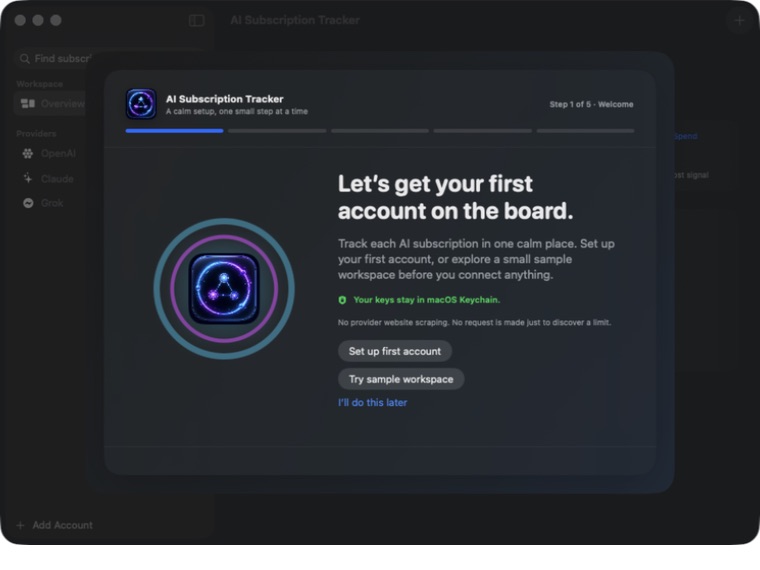
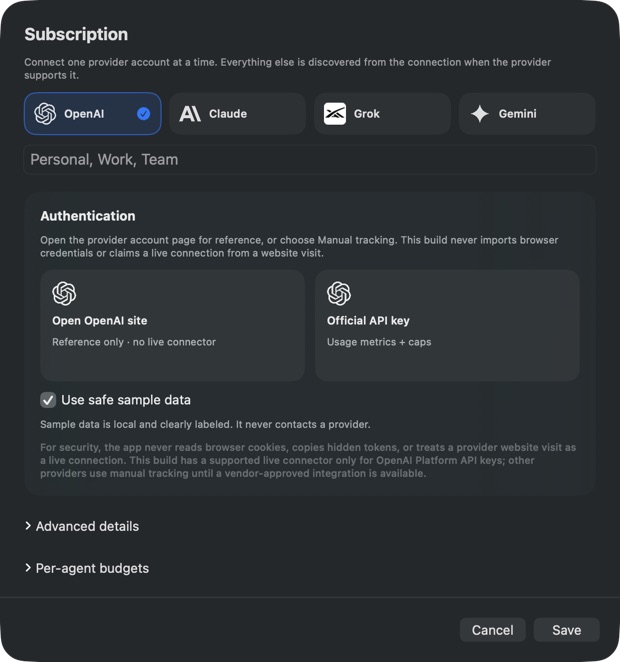
From download to your first tracked account.
The app archive is local-first and self-contained. No provider credential ever belongs in this page or a team chat.
- 1DownloadGet the macOS app archive after the short delivery form.
- 2Move to ApplicationsUnzip, then drag AI Subscription Tracker.app into Applications.
- 3Add each subscriptionUse OpenAI live API or Manual tracking for each distinct account.
macOS may require Control-click → Open. Apple Developer signing and notarization are still required for broad public distribution.
Questions before you install.
Which providers refresh automatically?
OpenAI Platform is the only live connector in this release. Claude, Gemini, and Grok use explicit manual records and optional reference links.
Can I track multiple accounts from one provider?
Yes. Give each subscription a distinct label—Personal, Work, Client, or any name that makes the identity clear. Every record keeps its own limits, history, and reset timing.
Where do credentials live?
OpenAI API keys are stored in macOS Keychain. The sales page never requests a provider credential, and the app does not import browser cookies or hidden session tokens.
What does the app cost?
This team build does not include a paid license or billing system. Confirm internal distribution and support terms with your team before sharing it externally.
What are the system requirements?
macOS 14 or newer on Apple Silicon. The current archive is unsigned, so review the checksum and follow the Control-click → Open installation path if macOS asks.
Make the next account decision obvious.
One Mac dashboard for independent subscriptions, two usage windows, clear source labels, and a pulse your team can act on.